
Shell Ops
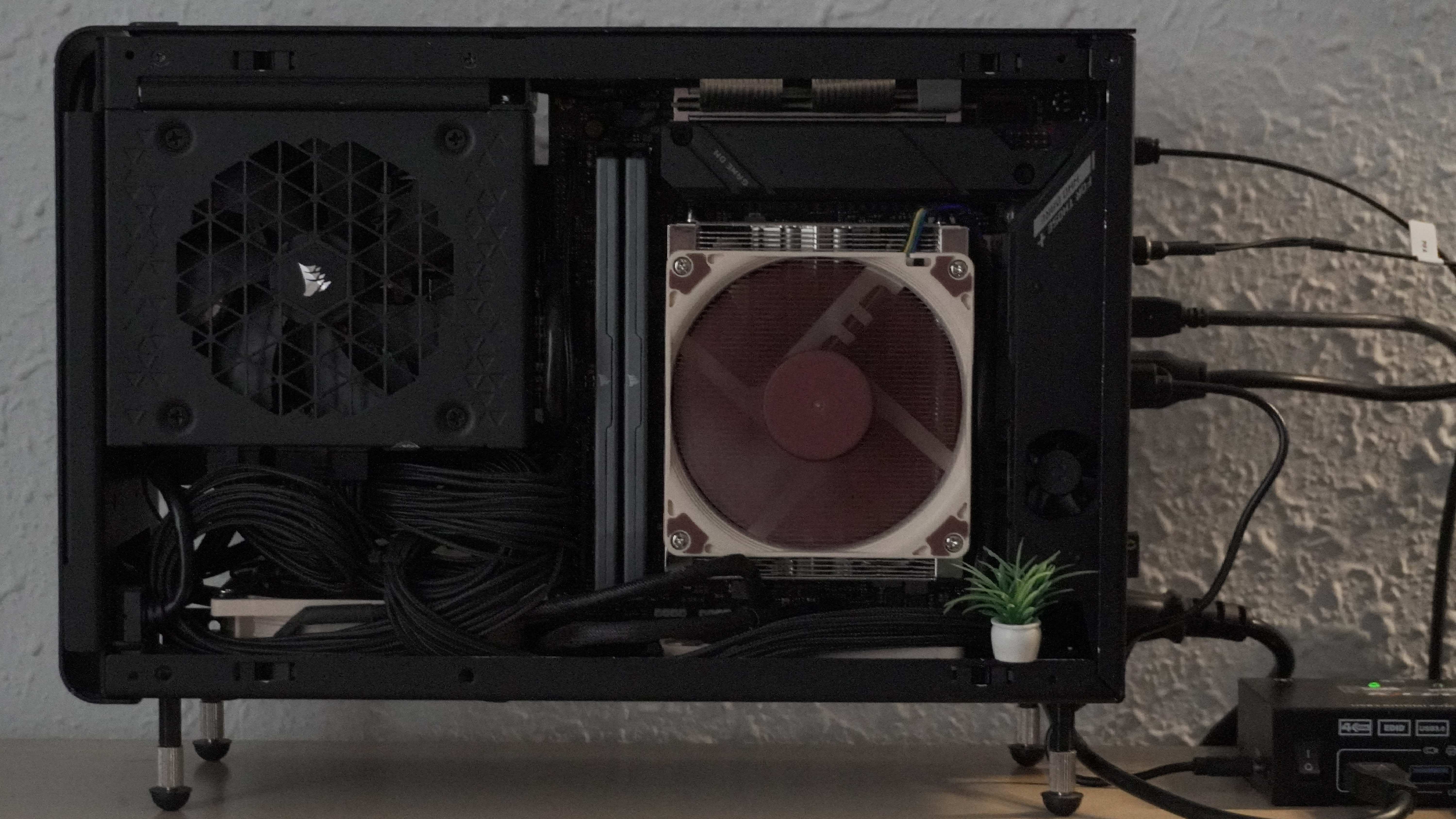
I’ve been hosting services at home since 2018. Started with Plex and a docker-compose.yml, migrated to Podman with podman play kube, and now I’m on Kubernetes with K3S. The server’s evolution has always been driven by whatever I felt like playing with at the time. I always avoided fancy prepackaged solutions like Flux or Argo, never had a NAS (for now), and never ran more than one or two nodes. To me, the home server is a synonym for infinite entertainment, and I’m pretty sure many others feel the same way. I could write for hours about my setup, NixOS, K3s, networking, the whole philosophy, but that’s not today’s topic. Today I want to share some shell-flavored tricks that make my day-to-day easier, in a world you choose to make hard for yourself.
Services
Services come and go; I think I have more services installed in the cluster than apps on my phone. As I write this, I’m running 67 services (ls -d1 services/* | wc -l). The way I interact with the cluster has changed radically lately, like so many other things. Now I use opencode 100% of the time to create new services. The process is straightforward and predictable; lately Big Pickle is enough, or even gemma4 or qwen running locally. Otherwise, any of the free models at opencode.ai work fine too. At the root of my repo I have a Markdown file that explains how to define a new service and gives the AI some context: folder structure to follow (and what to avoid), some edge cases and how to handle them, which annotations services need, when and how to create secrets, which volumes to mount and where, among many other things. It’s fantastic. The output is simple .yaml files, highly auditable and easy to verify.
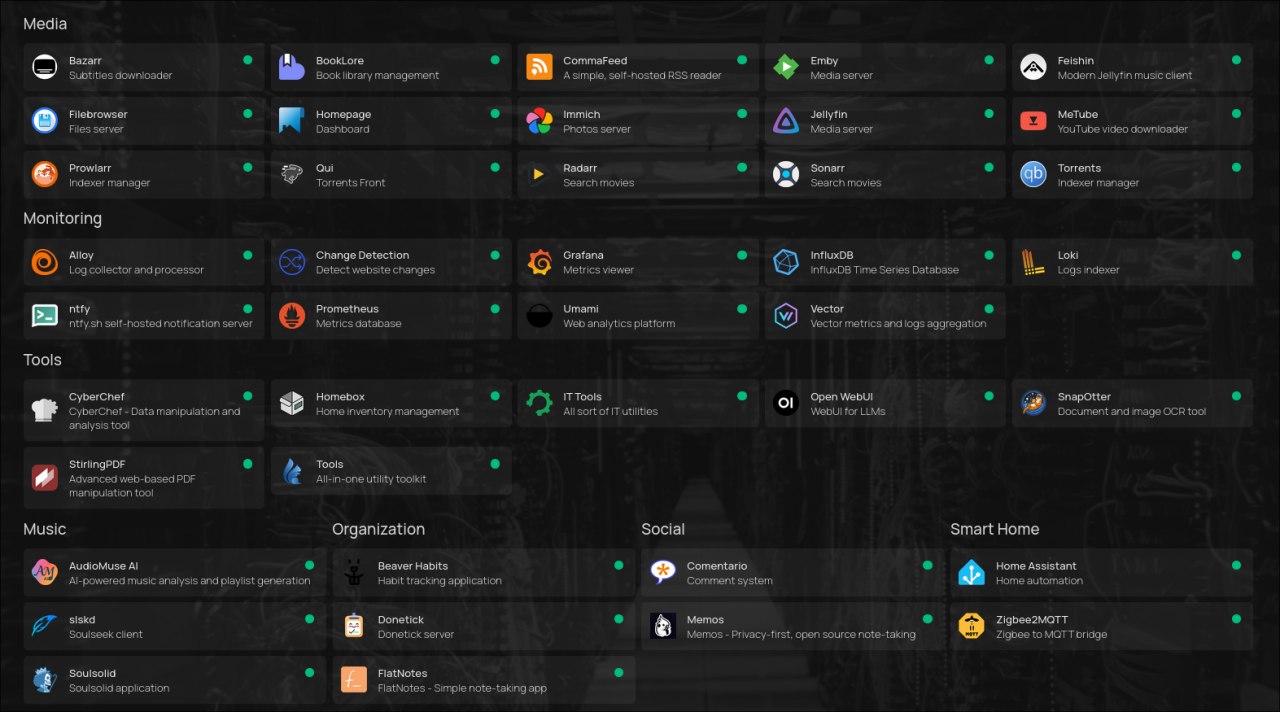
For a service to show up on the dashboard, each ingress.yaml has a set of annotations that make it appear once the Ingress is deployed. I use Homepage for that. I don’t know if it’s the prettiest or most advanced option, but my only requirement is that I don’t have to add services manually and can manage everything from each service’s own definition (its Manifest). For that, these annotations do the trick:
gethomepage.dev/enabled: "true"
gethomepage.dev/name: <AppName>
gethomepage.dev/description: <short description>
gethomepage.dev/group: <group> # e.g. Tools, Media, Social, Monitoring
gethomepage.dev/icon: <app>.png
gethomepage.dev/pod-selector: "app=<app-name>"
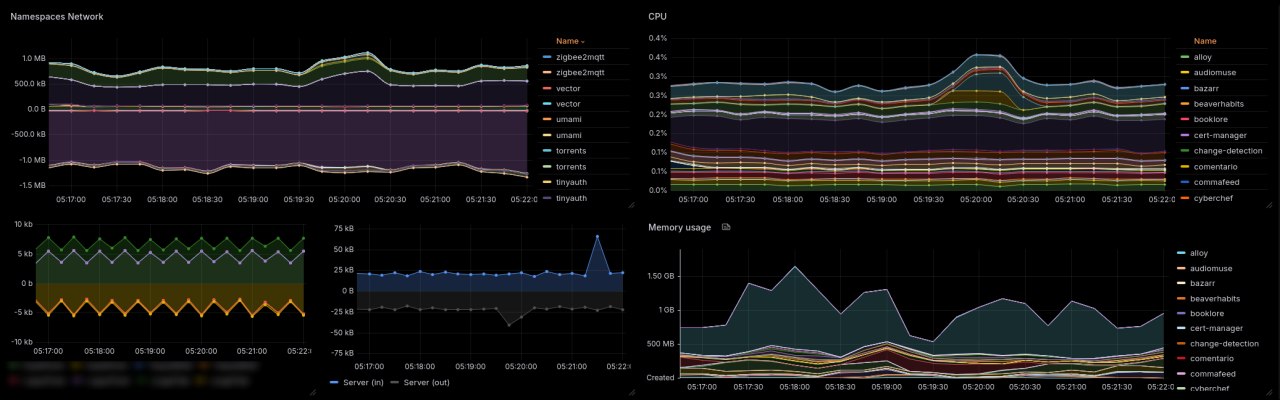
Metrics and logs follow the same strategy: collected and computed per namespace, so I can filter and distinguish them in Grafana. Every time a new namespace is created, I automatically get metrics and logs in the same dashboard.
My state is the cluster and the cluster is my state
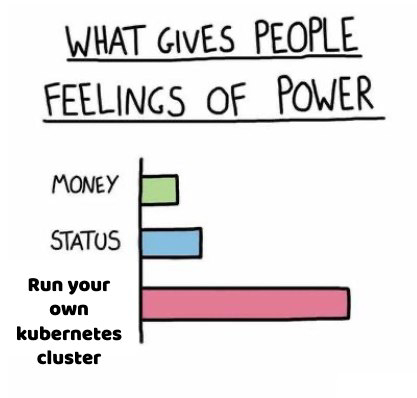
I pay tribute only to etcd and pay my taxes with kubectl apply. To organize working officials, kustomize gives me a hand. Each official hast its own office (namespace). I don’t use Helm for any service and avoid it whenever I can. No custom kustomize generators either, I keep it simple with k apply -k services/<service_folder> whenever I feel like appointing some official by decree.
If I need to do some state restructuring, I give everyone the day off with this command:
ls -d services/*/ | xargs basename -a | xargs -I{} kubectl scale deployment --all -n {} --replicas=0
To make sure the government building is empty, with only the bare essentials still running, I just do k get pods -A:
NAMESPACE     NAME                                      READY   STATUS      RESTARTS        AGE
kube-system   cilium-envoy-gkhvx                        1/1     Running     4 (3d15h ago)   18d
kube-system   cilium-kn2mz                              1/1     Running     4 (3d15h ago)   18d
kube-system   cilium-operator-dfc689dfb-4tbpf           1/1     Running     4 (3d15h ago)   18d
kube-system   coredns-695cbbfcb9-2hstz                  1/1     Running     0               3d15h
kube-system   helm-install-cilium-lss5r                 0/1     Completed   0               18d
kube-system   helm-install-traefik-crd-pbvbj            0/1     Completed   0               18d
kube-system   helm-install-traefik-nbhg8                0/1     Completed   0               18d
kube-system   hubble-relay-6cdd9bfb76-6rcq7             1/1     Running     4 (3d15h ago)   18d
kube-system   hubble-ui-ffdc7bfb5-9z9d9                 2/2     Running     8 (3d15h ago)   18d
kube-system   local-path-provisioner-546dfc6456-8v9wg   1/1     Running     4 (3d15h ago)   18d
kube-system   metrics-server-c8774f4f4-7c9qn            1/1     Running     5 (3d15h ago)   18d
kube-system   traefik-6b4c7c8d94-xbb55                  1/1     Running     4 (3d15h ago)   18d
And every once in a while, if some official has an important project, I make them work anyway, like: k apply -k services/booklore.
Getting someone back to work is a bit more complicated when government is shutdown, many depend on the security staff to get into the building. On those days I give everyone the day off except security, and no, I don’t pay them extra:
ls -d services/*/ | xargs basename -a | grep -vE '^(REDACTED2|REDACTED1|homepage|cert-manager)$' | xargs -I{} kubectl scale deployment --all -n {} --replicas=0
On those days, the building looks something like this:
k get pods -A
NAMESPACE      NAME                                      READY   STATUS      RESTARTS        AGE
cert-manager   cert-manager-5f9ddb88b4-dm6nw             1/1     Running     0               4s
cert-manager   cert-manager-cainjector-9bb5d7d75-cs2xb   1/1     Running     0               4s
cert-manager   cert-manager-webhook-7fc8569958-lqr66     0/1     Running     0               4s
homepage       homepage-7b8f8f5fbb-zcfkv                 1/1     Running     0               117m
kube-system    cilium-envoy-gkhvx                        1/1     Running     4 (3d17h ago)   18d
kube-system    cilium-kn2mz                              1/1     Running     4 (3d17h ago)   18d
kube-system    cilium-operator-dfc689dfb-4tbpf           1/1     Running     4 (3d17h ago)   18d
kube-system    coredns-695cbbfcb9-2hstz                  1/1     Running     0               3d17h
kube-system    helm-install-cilium-lss5r                 0/1     Completed   0               18d
kube-system    helm-install-traefik-crd-pbvbj            0/1     Completed   0               18d
kube-system    helm-install-traefik-nbhg8                0/1     Completed   0               18d
kube-system    hubble-relay-6cdd9bfb76-6rcq7             1/1     Running     4 (3d17h ago)   18d
kube-system    hubble-ui-ffdc7bfb5-9z9d9                 2/2     Running     8 (3d17h ago)   18d
kube-system    local-path-provisioner-546dfc6456-8v9wg   1/1     Running     4 (3d17h ago)   18d
kube-system    metrics-server-c8774f4f4-7c9qn            1/1     Running     5 (3d17h ago)   18d
kube-system    traefik-6b4c7c8d94-xbb55                  1/1     Running     4 (3d17h ago)   18d
REDACTED2      REDACTED2-7cd9cd7f56-sg57h                1/1     Running     0               93m
REDACTED1      REDACTED1-6cccd8684f-rrvlc                1/1     Running     0               92m
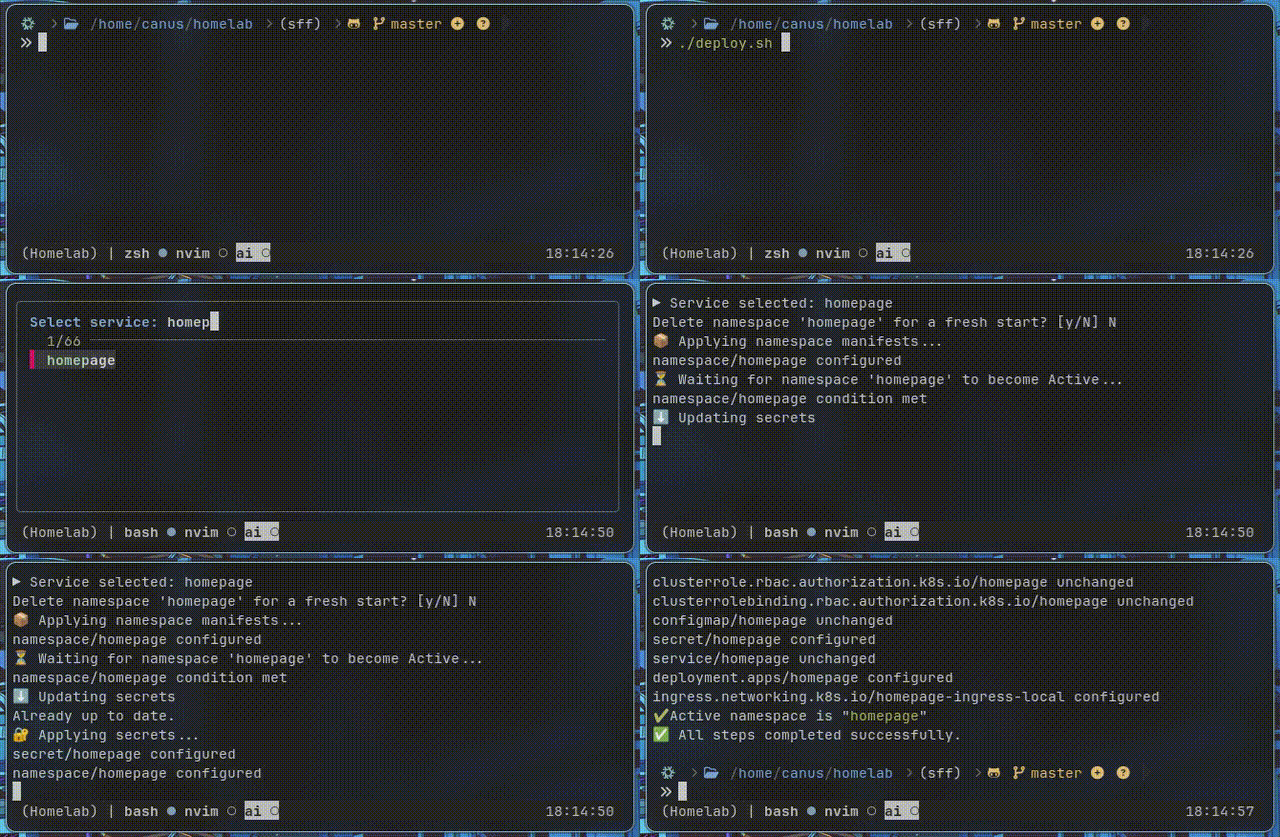
When I need to wipe a namespace completely and recreate a service, I have a ./deploy.sh script that uses fzf. A simple find ./services -mindepth 1 -maxdepth 1 -type d -printf '%f\n' | sort | fzf and I pick which service to re-deploy from scratch.
Like any organization, I also keep a directory with files on each employee, and any other interaction with the officials I handle mostly imperatively: from the terminal I give them commands and ask them for information. To make that easier, I have a bunch of aliases and make heavy use of fzf. Some of the ones I reach for most:
Asking an official for a report on what they’ve been up to lately:
kogs = "ns=$(kubectl get ns -o jsonpath='{.items[*].metadata.name}'|tr ' ' '\n'|fzf)&&pod=$(kubectl get pods -n \"$ns\" --field-selector=status.phase=Running -o jsonpath='{.items[*].metadata.name}'|tr ' ' '\n'|fzf)&&kubectl logs -n \"$ns\" \"$pod\" --all-containers=true -f";
For lack of a better analogy, restart all services:
krda = "kubectl get deployments --all-namespaces | tail +2 | awk '{ cmd=sprintf(\"kubectl rollout restart deployment -n %s %s\", $1, $2) ; system(cmd) }'";
Or a specific one:
krd = "ns=$(kubectl get ns -o jsonpath='{.items[*].metadata.name}' | tr ' ' '\n' | fzf) && \ dep=$(kubectl get deployments -n \"$ns\" -o jsonpath='{.items[*].metadata.name}' | tr ' ' '\n' | fzf) && \ kubectl rollout restart deployment \"$dep\" -n \"$ns\"";
When I was on podman, kogs was pogs, and cogs when I was on docker. Same logic applies to the rest of the aliases; that consistency lets me sleep at night. Whenever I catch myself doing something repeatedly, it ends up as an alias. The flexibility Linux gives you when your solutions depend on folders and files is a trade-off I’m not willing to give up. And for me, the cli ends up being the ultimate interface, as Emperor Sh said: “Do it in shell”.
 |
 |
|---|
As a closing note, if you’re wondering what’s the point of all this madness, I’ll repeat what I said in Music Garden: “I think there’s value in collecting, cataloguing, and caring for things.” This is just another expression of that, except instead of songs or movies, it’s little scripts and hacks that end up decorating your digital environment and, above all, making it more yours.
Note on Translation: This post was originally written in highly colloquial Argentine Spanish, known for its unique slang, cultural nuances, and rhythm. It has been translated into English heavily using AI, so some of the original tone and cultural nuances may have been lost in translation.