
Fixing Moded iPod
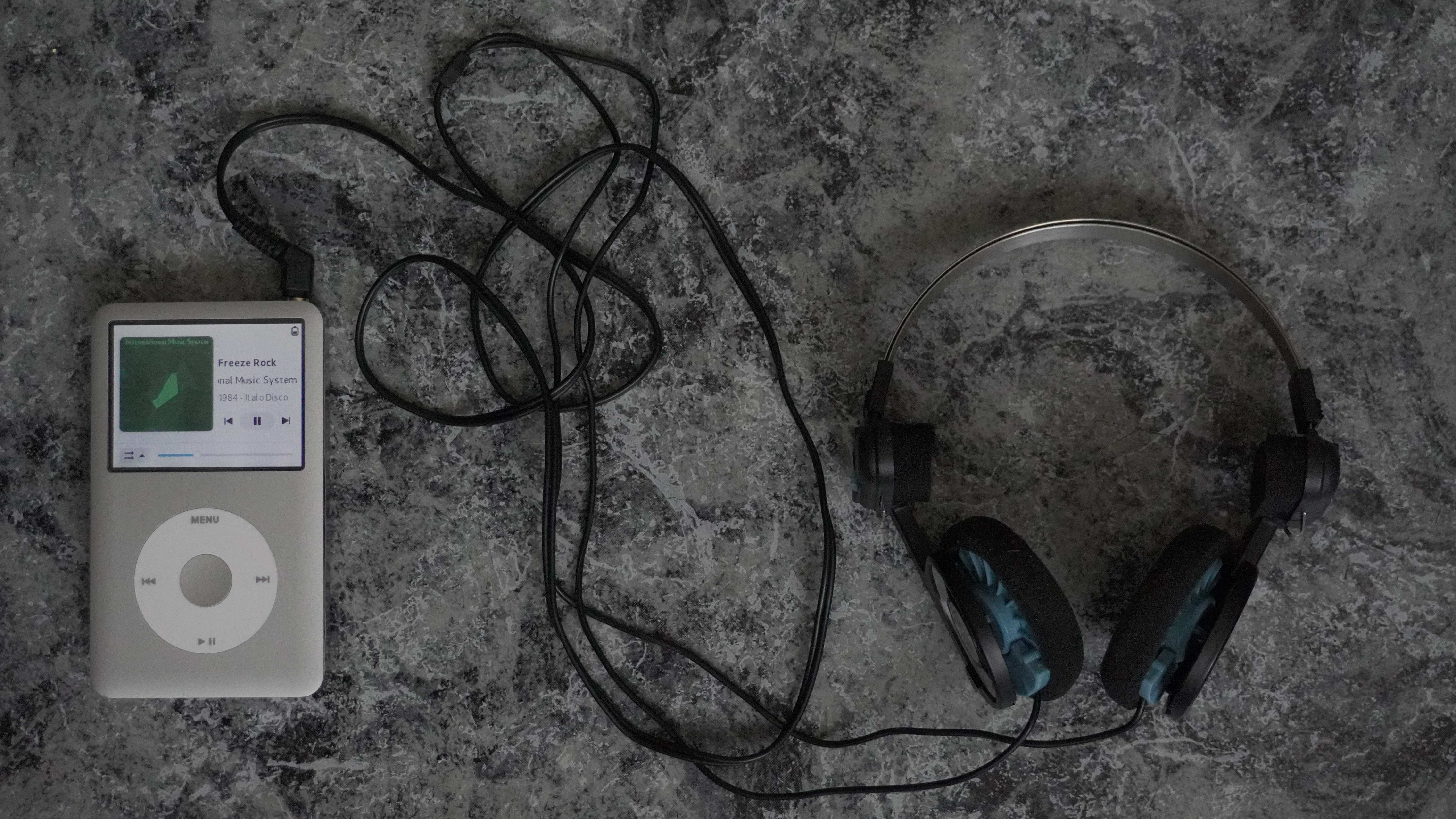
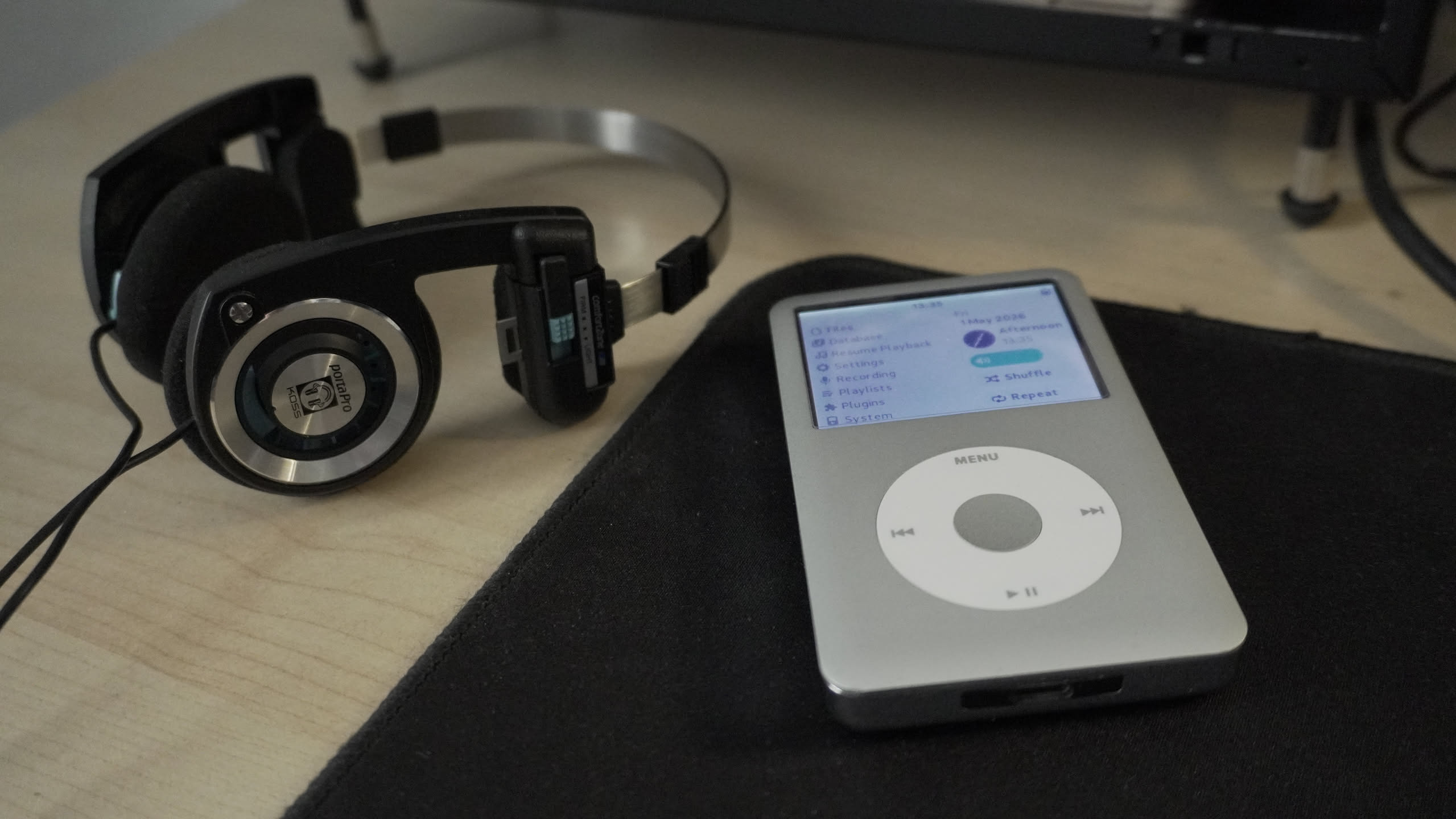
I somehow managed to mess up my iPod with dd. It would boot into USB/Disk mode with the Rockbox bootloader saying No Partition found. To recover it I had to restore it via iTunes/Finder on a Mac, which wiped the drive entirely and wrote a fresh Apple Partition Map (APM) partition table with the stock Apple firmware. Then I had to put Rockbox back on it — which turned out to be harder than expected because of the iFlash Solo board. This post covers the concepts that matter when doing this, not just the commands. It’s basically a dump of the things that were worth understanding while debugging and fixing the iPod.
Device Specs
| Property | Value |
|---|---|
| Model | iPod Classic 7th Gen |
| Storage mod | iFlash Solo board |
| SD card size | ~955 GiB (~1 TB) |
| Logical/physical sector size | 4096 bytes / 4096 bytes (native, due to iFlash) |
| Partition table after Mac restore | Apple Partition Map (APM) |
The Hardware
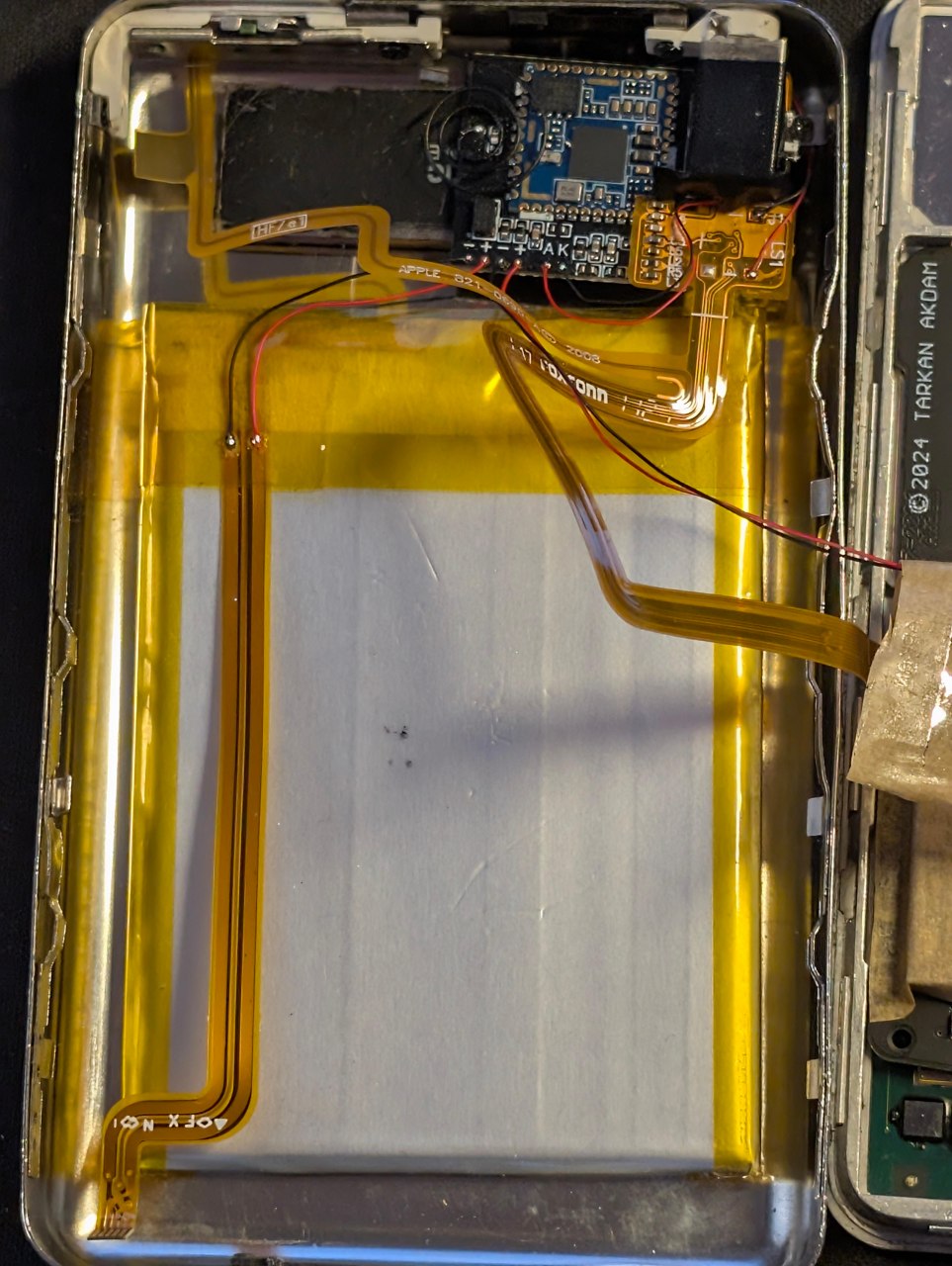
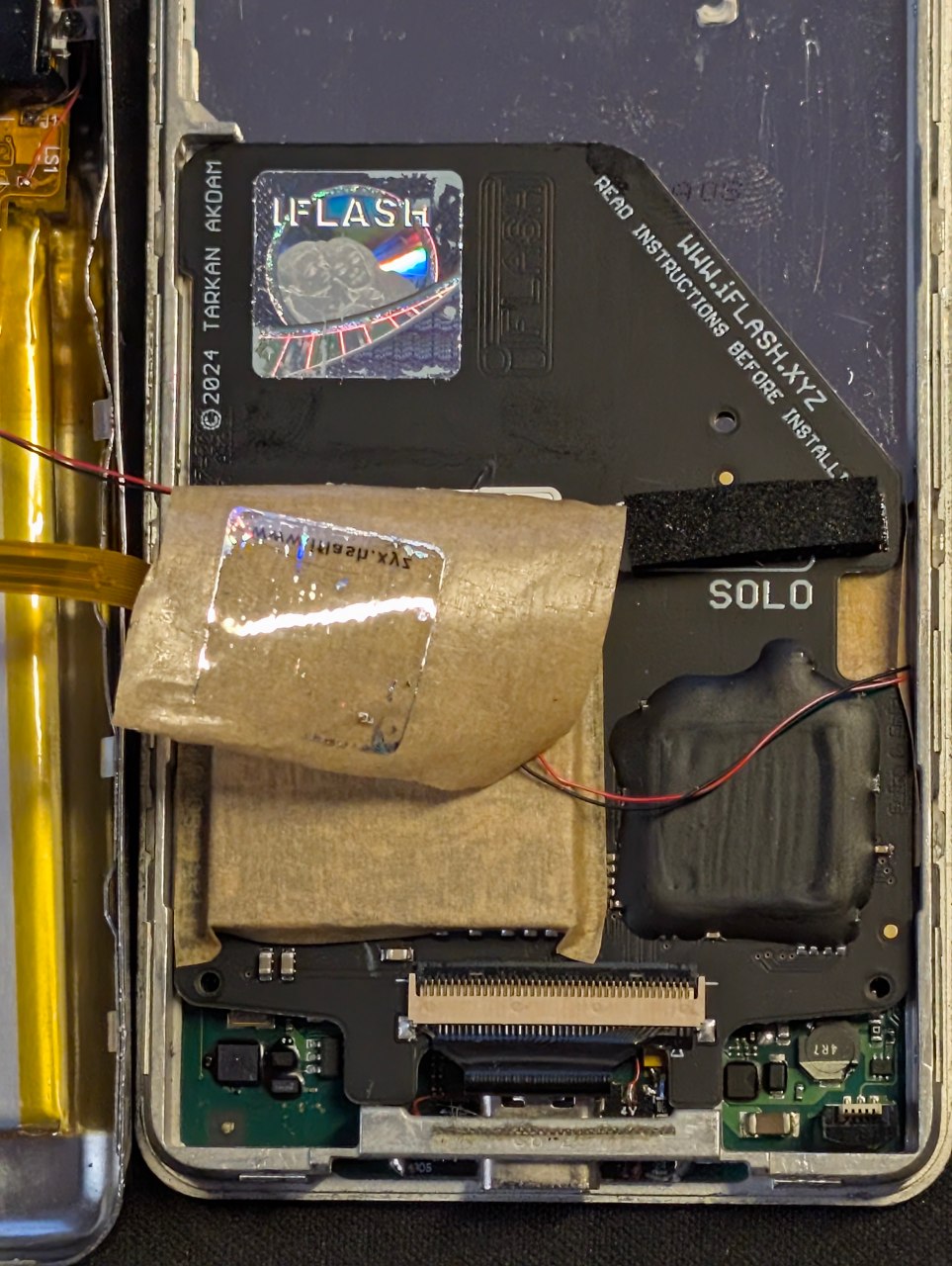
6th & 7th Generation iPod Classics (2007–2009) are the toughest to open — tight metal clips all around the case. I broke two of them deliberately (by mistake) to make it easier to open next time. This guy shares the sentiment.
 |
 |
 |
|---|
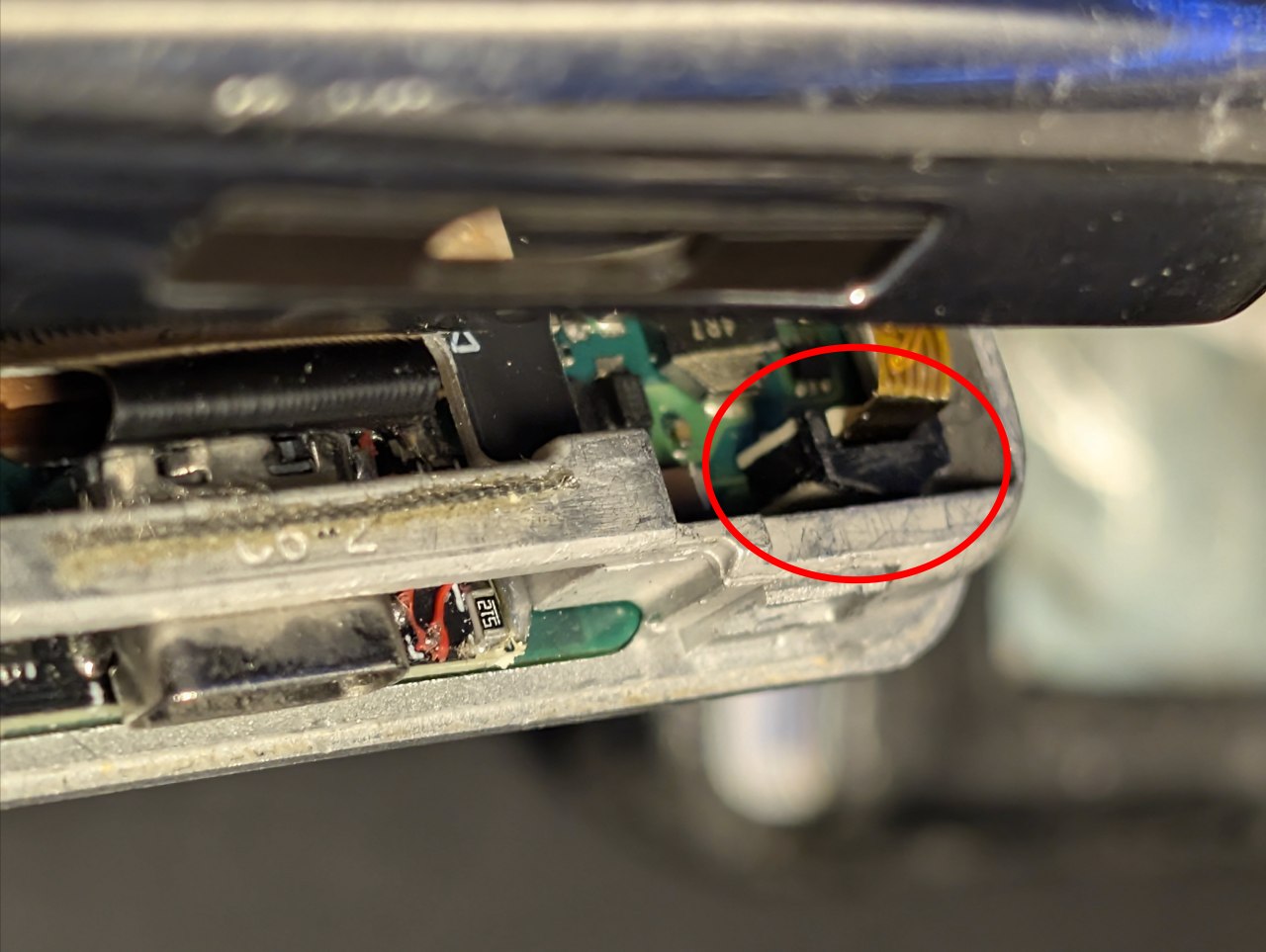
Another thing I almost broke is the battery connector, the one marked with a circle in the third photo. The white plastic socket has 3 pins soldered to the PCB that hold it in place, while the black clamp slides bottom-up to lock or unlock the flex cable that powers the circuit. I pulled that flex so many times that the white plastic detached from the PCB (not the pins, luckily). It’s now a 3-hands job: one holds the white plastic down, one lifts the black clamp, and the third pulls the flex.
Partition Tables: APM, MBR, and Why It Matters
When a Mac restores an iPod via iTunes/Finder it writes an Apple Partition Map (APM) — Apple’s legacy partition table format, predating MBR (used on most PCs) and GPT (used on modern Macs). Restoring and installing the stock OS was super easy — plug it into a Mac (a new MacBook Air in my case) and done. All classic iPods restored this way come back with APM. And now back to square zero: installing the Rockbox bootloader.
I was tempted to install Rockbox on the Mac but decided to go back to Linux. The problem on Linux is that the kernel does not automatically expose APM sub-partitions as block devices. After the Mac restore, the iPod showed up as /dev/sda (954.8G) with no partition device nodes — no sda1, sda2, etc. Tools like parted can see the partitions, but you can’t mount them directly.
sudo parted /dev/sda print
Output showed:
- Partition table type:
mac - Partition 1: 254 KB — partition map metadata
- Partition 2: ~955 GiB — main data partition (HFS+, filesystem not auto-detected by Linux without kpartx)
To expose them as mountable block devices, kpartx creates device mappings manually:
sudo kpartx -av /dev/sda
# creates /dev/mapper/sda1 and /dev/mapper/sda2
Later, ipodpatcher (run internally by Rockbox Utility, since ipodpatcher wasn’t available on NixOS) converts the partition table from APM → MBR — that’s its magic for booting either the stock OS or Rockbox via MENU+SELECT or SELECT+PLAY/PAUSE. After the bootloader install, the device re-enumerates and normal partition nodes (sdc1, sdc2) appear without needing kpartx.
HFS+ and the Journal and Why It Doesn’t Matter
The Mac restore formats the data partition as HFS+ Journaled. The journal is a write-ahead log that helps recover from crashes — but it also causes Linux to mount the partition read-only by default, because it can’t safely write to a journaled HFS+ filesystem without risking corruption.
You might be wondering why there’s an HFS+ partition and what HFS+ even is. Here’s what the AI told me: HFS+ (Hierarchical File System Plus) is an improved version of the old HFS, used for many years on Macs, iPods, and other Apple products before being replaced by APFS.
To get write access, you just force-mount it and forget the journal — at this point if something blows up, we start over:
sudo mkdir -p /mnt/ipod
sudo mount -t hfsplus -o force,rw /dev/mapper/sda2 /mnt/ipod

nix-shell -p hfsprogs --run "sudo fsck.hfsplus -J /dev/mapper/sda2"
fsck.hfsplus -J replays the journal and marks it as disabled. After this the partition mounts read-write normally. This step is only needed if you want to inspect or modify the HFS+ partition — Rockbox Utility replaces the entire partition table anyway.
Why doesn’t it matter? Because Rockbox Utility only needed this to detect the device, and it needed write access to install the bootloader — that’s just a GUI check. If you’re not on NixOS, maybe ipodpatcher didn’t even need this step. If you already have Rockbox at this point, you won’t see this partition anymore.
The iFlash Solo’s Storage Layout
👀 -> Before purchasing or swapping SD cards, verify compatibility with the iFlash Solo board at the official compatibility list: https://www.iflash.xyz/store/iflash-compatibility/
The iFlash Solo presents itself to the OS as a single disk. Internally though it has its own reserved firmware storage area separate from the SD card’s user storage. This is what the sdc2 (192 MB, type 0x3f) partition is after Rockbox Utility runs — the Rockbox bootloader lives there, not on the SD card itself. This was a big source of confusion at first. Imagine my surprise when I pulled the SD card, zeroed it out, put it back in the iPod, and the bootloader screen showed up again. I almost ran out of the room.
Device     Boot Start       End   Sectors   Size Id Type
/dev/sdc1  *    49278 250347518 250298241 954.8G  c W95 FAT32 (LBA)   ← music + Rockbox firmware (.rockbox/)
/dev/sdc2          63     49214     49152   192M 3f unknown            ← Rockbox bootloader
“Partition table entries are not in disk order” is normal for iPod layout.
This distinction matters because Bootloader and Firmware are installed separately, which is why updating Rockbox doesn’t require reinstalling everything from scratch:
- Bootloader (
sdc2): installed once via Rockbox Utility’s Bootloader installation — patches the iFlash’s reserved area, converts APM → MBR - Firmware (
sdc1): the.rockbox/directory (codecs, themes,rockbox.ipod) copied onto the FAT32 data partition. I’m pretty sure you can just copy-paste the folder and it’s the same. Didn’t want to test it.
FAT32 and the 4096-byte Sector Constraint
The iFlash Solo reports a native physical sector size of 4096 bytes (instead of the standard 512 bytes). This propagates up to FAT32 formatting — mkfs.vfat will override any attempt to set smaller logical sectors:
sudo mkfs.vfat -F 32 -S 512 -s 8 /dev/sdc1
# Warning: sector size was set to 4096 (minimal for this device)
This is not a bug, it’s a hardware constraint. The consequence is that Rockbox may fail to read the filesystem because its FAT driver assumes 512-byte sectors. If Rockbox boots but shows No partition found after you’ve formatted and installed the firmware, this is the likely cause (this is where I messed up).
Here’s how I mounted the formatted partition with write permissions:
sudo mount -t vfat -o uid=$(id -u),gid=$(id -g),umask=022 /dev/sdc1 /mnt/ipod
Nix Shell Environment
{ pkgs ? import <nixpkgs> {} }:

pkgs.mkShell {
  packages = with pkgs; [
    sg3_utils       # SCSI/ATA device utilities
    xxd             # hex dump
    hdparm          # ATA drive parameters
    hfsprogs        # fsck.hfsplus for HFS+ journal manipulation
    parted          # partition table inspection
    multipath-tools # kpartx for APM partition mapping
  ];
}
Some Dopaminergic Commands
# Inspect partition table
sudo fdisk -l /dev/sdX
sudo parted /dev/sdX print

# Expose APM partitions as block devices
sudo kpartx -av /dev/sdX
sudo kpartx -dv /dev/sdX   # remove mappings

# Mount HFS+ (force rw, bypass journal)
sudo mount -t hfsplus -o force,rw /dev/mapper/sdX2 /mnt/ipod

# Disable HFS+ journal
sudo fsck.hfsplus -J /dev/mapper/sdX2

# Format FAT32 (iFlash will override to 4096-byte sectors regardless)
sudo mkfs.vfat -F 32 /dev/sdX1

# Mount FAT32 with user permissions
sudo mount -t vfat -o uid=$(id -u),gid=$(id -g),umask=022 /dev/sdX1 /mnt/ipod

# Launch Rockbox Utility on NixOS
nix-shell -p rockbox-utility --run "RockboxUtility"

# Safely unmount before disconnecting
sudo umount /mnt/ipod
Note on Translation: This post was originally written in highly colloquial Argentine Spanish, known for its unique slang, cultural nuances, and rhythm. It has been translated into English heavily using AI, so some of the original tone and cultural nuances may have been lost in translation.